
EZ-UAQ Utility
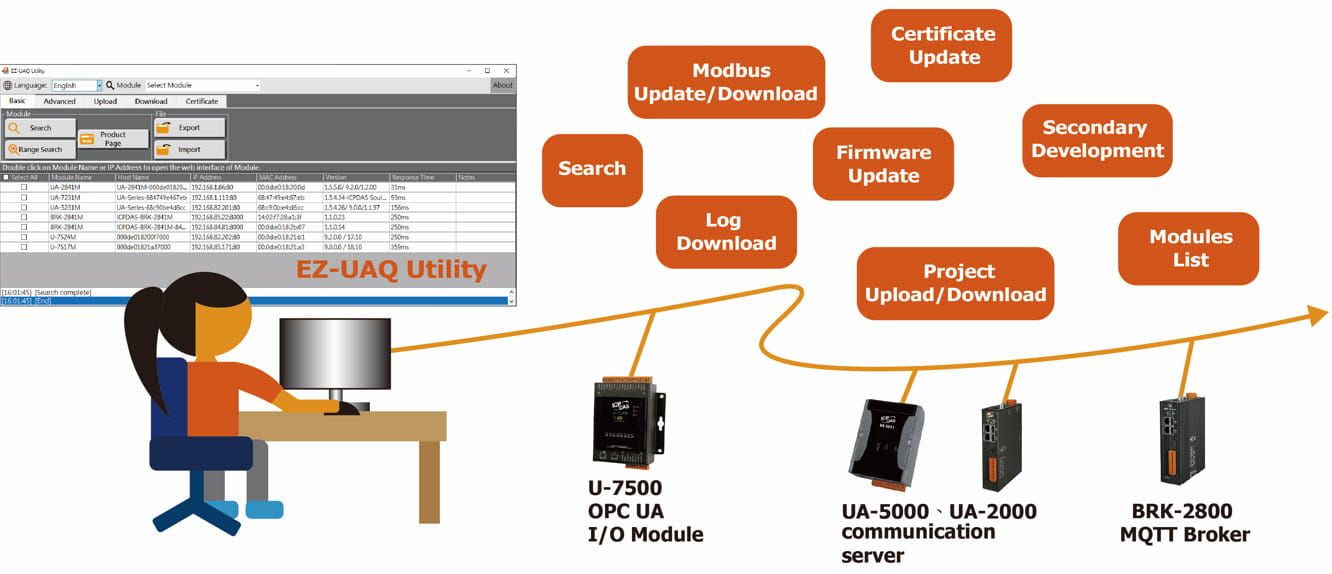
The EZ-UAQ Utility provides network administrators and field managers with the ability to integrate all modules in the field. Besides receiving basic information (such as IP address, MAC address, firmware version, etc.) about the UA Communications Server, UA I/O, and BRK products, Network administrators can also acquire information about the protocols and ports used of the modules to manage the network information of the field and apply it to the security integration system.
Also, it enhances module management efficiency by supporting Update Firmware, Project Management, Download Log, Secondary Developmentand Certificate Management, allowing users to quickly configure and maintain HTTPS, OPC UA Server/Client, and MQTT Broker/Client communication security for modules. The EZ-UAQ Utility supports single-unit operations and batch management, allowing for field expansion, maintenance, and staffing changes while ensuring stability, safety, and cost reduction.
Also, it enhances module management efficiency by supporting Update Firmware, Project Management, Download Log, Secondary Developmentand Certificate Management, allowing users to quickly configure and maintain HTTPS, OPC UA Server/Client, and MQTT Broker/Client communication security for modules. The EZ-UAQ Utility supports single-unit operations and batch management, allowing for field expansion, maintenance, and staffing changes while ensuring stability, safety, and cost reduction.
The EZ-UAQ Utility requires Microsoft .NET Framework Version 4.7 to run. Please download and install it from the following link:
Microsoft .Net Framework Version 4.7
https://dotnet.microsoft.com/en-us/download/dotnet-framework/net47

Basic
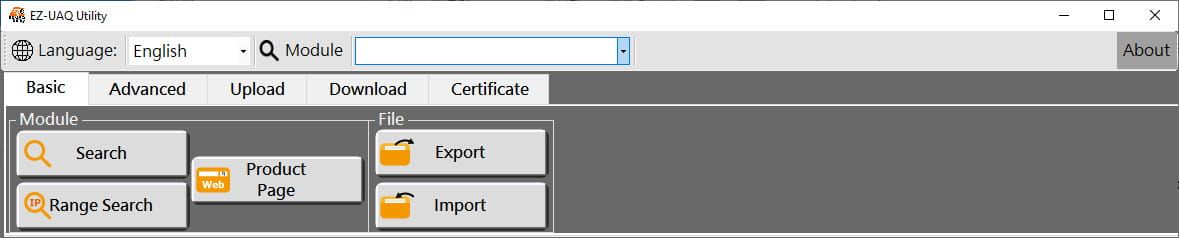
►Search Module:
Search for UA communication servers, UA I/O, and BRK series modules in the same or different network segments, and present the Module name, IP Address, MAC Address, version, and response time of each module, which is helpful for field management and troubleshooting.
Application Context:
1. Application of Version:
- There are a vast number of modules that need to keep the project information, you can search the version that supports the download project function, and find out which functions are supported by each modulethrough the version.
- Adding “send messages to Line” function for installed modules. Use the EZ-UAQ utility to check the version of the module, download the firmware that supports the LINE function, and then update the firmware.
- When a module has an abnormal reading, you can use the EZ-UAQ Utility to query the version of the module and see if the problem has been fixed. If the problem has been fixed, download the firmware package that has fixed the problem, and then update the firmware with the EZ-UAQ Utility. If you still have the same problem after replacing the firmware with the fixed one, you can write an email to the service mailbox.
2. Application of Response Time
- Several modules show data abnormal in the graphic control end and discuss the network topology with the IT staff by using the response time function. See if the change of network nodes or the adjustment of the structure causes the data abnormal. It can be used as the basic information for determining the field communication abnormality.
- If the graphic control end still shows abnormal data acquisition after the above network node problems have been solved by IT staff, the CPU usage of the module may be too high, so you can log into the module's webpage to check the module's settings and CPU usage.
3. Application of IP Address
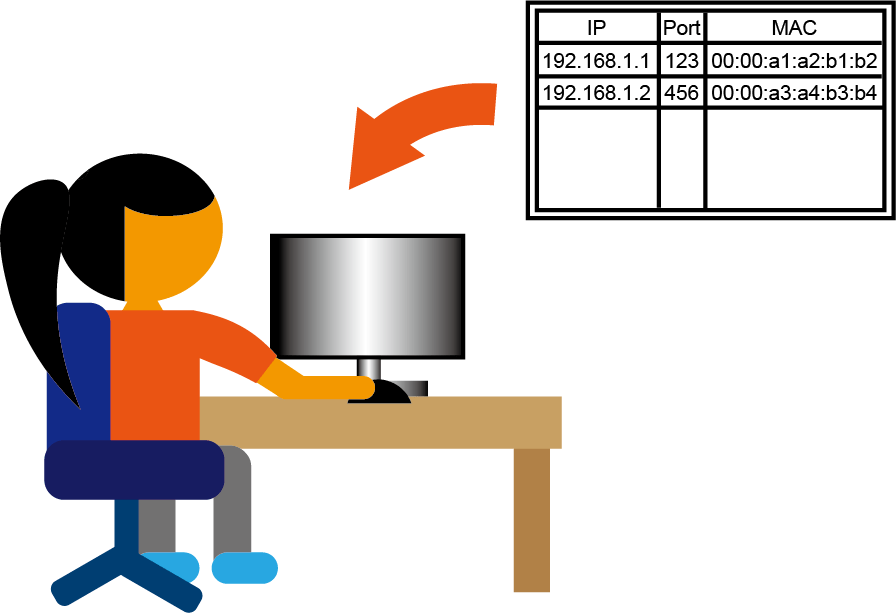
- The field administrator can provide the IP address of the module to the IT administrator for checking whether devices are using the same IP module in the field. For fields with higher communication security requirements, the IP and MAC protocols and port information are used to set up the routing and firewall devices.
►Range Search:
The IP range can be user-defined to manage all domain modules with one click.
►Product Page:
The IP range can be user-defined to manage all domain modules with one click.
►Product Page:
The product pages for UA, UA I/O, and BRK will open at the same time, but if a module is checked, only the product page for the selected module will open.
►Export Search Information:
Export the search information into a file for users to save.
Application Context:
- By exporting the CSV file of search information, IT staff can manage the IP and MAC address.
- When checking the modules in the field, compare the exported search information with the information searched by the EZ-UAQ Utility to see if the modules are not searched by the EZ-UAQ Utility or if there are new modules.
Import saved files into the software interface to check the modules saved at that time.
Application Context:
- As it is required to open the software and open the CSV file to compare the modules one by one when checking the field modules, there will be a new interface for comparison after V2.5, which is convenient for users to compare quickly.
Advanced
► Range Settings:
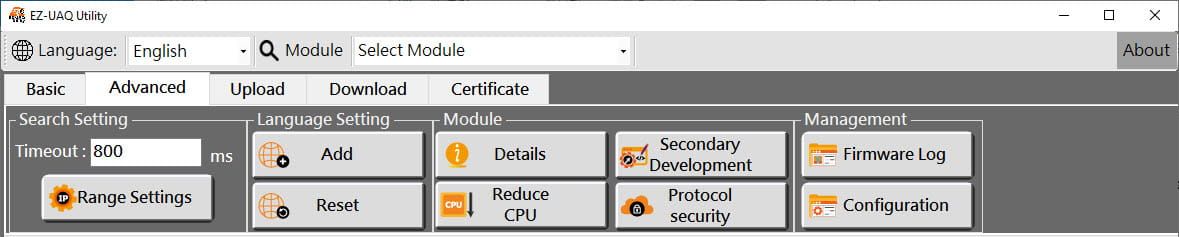
The IP range can be changed to manage all domain modules with one click.
► Module Details:
Users can view and export module details, including TCP/UDP network protocols, communication protocols (HTTP, HTTPS, OPC UA, etc.), and port numbers.

►Reduce CPU :
When the CPU usage of the module is too high, you can lower the CPU usage by using the Reduce CPU usage function.
Application Context:
- The field module cannot open the webpage for setting, you can open it through the function of the Reduce CPU usage provided by the software.
►Secondary Development :
►Protocol Security :
Provides highly flexible secondary development interfaces, allowing developers to integrate UA and BRK functions through code to further enhance module application capabilities.
Application Context:
- UA Series
1.Sends notifications to LINE or Telegram when Modbus points change.
2. Uses WatchDog of UA ; when SCADA communication is interrupted, safe values are automatically output to Modbus I/O.
2. Uses WatchDog of UA ; when SCADA communication is interrupted, safe values are automatically output to Modbus I/O.
- BRK Serie
Displays the security of the module protocols and confirms that the HTTPS, OPC UA Server/Client, and MQTT Broker/Client protocols are enabled with encrypted certificates.
►Firmware Log :
Automatically records firmware updates, allowing users to track and manage the update history of multiple modules.
►Configuration :
Automatically records and backs up configuration files whenever one or more projects are downloaded, allowing users to track history, manage records, and restore module configurations.
Upload
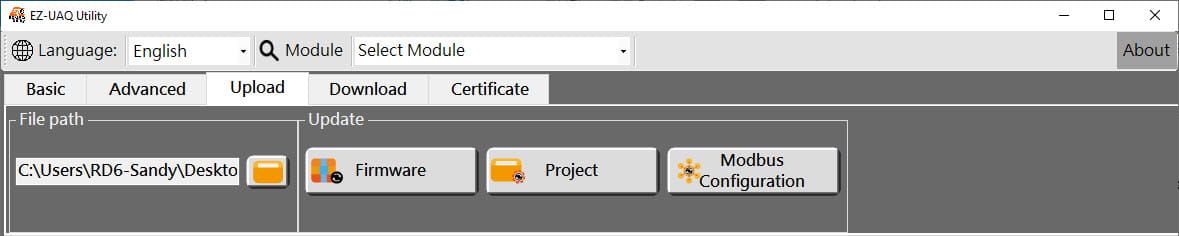
►Update Firmware:
Updates the firmware version of a single (multiple) module, enabling rapid updates of the firmware version of the modules in the field. When updating firmware, the EZ-UAQ utility is password-protected to secure the firmware version of the module. Non-administrators is hard to change the version of the module. For details, please refer to Chapter 5 of the manual.
►Update Project:
Update the project of a single (multiple) module, allowing a quick update of the project of the modules in the field. When updating a project, the EZ-UAQ Utility is password-protected to secure the project of the modules. Non-administrators is hard to change the project of the module. For details, please refer to Chapter 5 of the manual.
Application Context:
1. Batch Management Modbus Setting:
- Uploading edited Modbus templates configures multiple modules at one time, reducing setup time and improving efficiency.
2. Compare and update the Modbus configuration of field devices:
- Users can download, edit, and upload Modbus templates to ensure consistent module parameters and prevent communication issues from incorrect settings.
3. Quick update for device changes:
- If new devices are added or replaced in the field, new device parameters can be quickly synchronized via Modbus template files, ensuring compatibility and uninterrupted operations.
Download
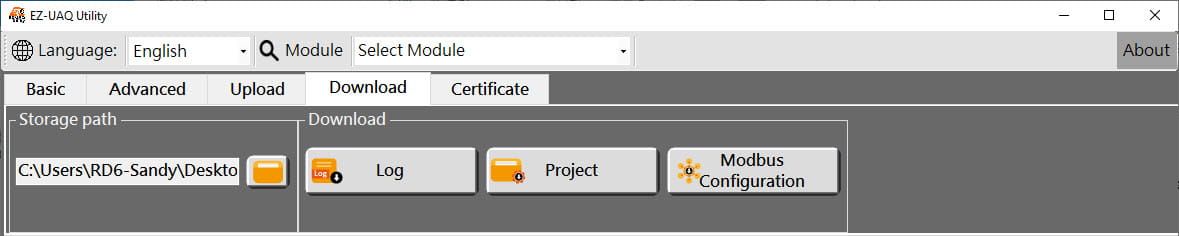
►Download Project:
Download the project of a single (multiple) module for retention. When updating a project, the EZ-UAQ Utility is password-protected to secure the project of the modules. It is difficult for peers to take the intellectual property of the field. For details, please refer to Chapter 5 of the manual.
►Download Log:
Download the Log file of a single (multiple) module, easy for users to track the status of each module. By logging problems, troubleshooting further problems, and logging module data, the information has changed and is saved. Due to the different forms of Log data defined for UA Communication Server, UA I/O, and BRK, you need to check the definitions in each product manual.
►Download Modbus Configuration:
Download Modbus and OPC UA Configuration of a single (multiple) UA Communication Server and export it. Allows users to quickly understand Modbus and OPC UA information, including TCP, RTU, Module Name, and OPC UA Node Id. OPC UA Node Id. The OPC UA Node Id can work with the SCADA software to get the node address data. Only UA Communication Server supports the function.
Certificate
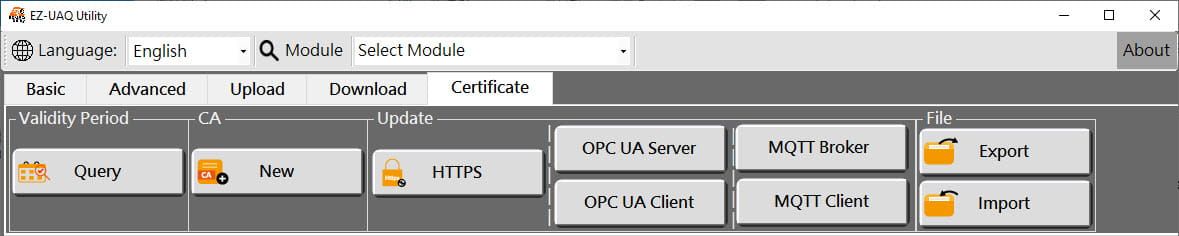
►Create a CA Certificate:
Creates a new root certificate (CA) that serves as a source of trust for other module certificates, specifically for MQTT certificates.
Application Context:
1. Internal Certificate Authority Management:
- Enterprise IT staff can create their own CA certificates via the EZ-UAQ Utility to issue MQTT certificates for internal devices with no external CA organization.
2. Simplified Device Certificate Deployment:
- Create CA certificates only once and use them for multiple modules, reducing the burden of manual setup.
►Update HTTPS Certificates:
Allows users to quickly replace the HTTPS certificate and securely access the module webpage via HTTPS.
Application Context:
1. Ensure secure access to the management interface:
- Enterprise IT can use HTTPS certificates to prevent unencrypted HTTP risks and password theft.
2. Prevent disruptions from certificate expiration:
- Update HTTPS certificates to prevent login issues from expiration warnings.
3. Satisfy security requirements:
- Meet internal corporate or regulatory security needs for device web access.
►Update OPC UA certificates:
Use OPC UA Certificates to ensure secure communication between the OPC UA Server and Client to prevent unauthorized devices from accessing the data.
Application Context:
1. Prevent unauthorized devices from accessing:
- Only certified OPC UA Clients can connect to the Server, enhancing security.
2.Protect industrial automation system:
- The UA-I/O module uses an OPC UA Client to read server data, with certificates preventing server impersonation.
►Update MQTT certificates:
Use MQTT certificates to ensure secure communication between the MQTT Broker and the Client to prevent unauthorized devices from accessing data.
Application Context:
1. Smart Building IoT Device Management:
- Smart meters, environmental sensors, etc., are used in the building to report data via MQTT. Certificates ensure only legitimate devices connect to the MQTT Broker.
2. Prevent Fake Broker Attacks:
- The device verifies the MQTT Broker's authenticity via a CA certificate to avoid data theft from malicious servers.
3. Enhance MQTT communication security:
- Updating the MQTT certificate on the UA or BRK Communication Server ensures communication security for all MQTT devices.
►Query the certificate validity period:
The status of all module certificates can be quickly viewed to avoid system anomalies caused by expired certificates.
Application Context:
1. Field Periodic Check:
- IT personnel regularly check certificate status to avoid HTTPS, MQTT, and OPC UA connection failure due to certificate expiration.
2. Automatic inspection process:
- EZ-UAQ Utility is deployed in the field to periodically query the status of equipment certificates and notify the administrators of upcoming certificate expirations.
3. Improve industrial network security:
- If the certificate expires, the Factory OPC UA Client can't read data. Update it in advance to prevent interruptions
EZ-UAQ Utility Supported List
| Model | Type | Function Limitations | |
|---|---|---|---|
| UA Series | Communication Server | △ Certificate function:Only OPC UA Client certificate update is not supported. | |
| UA I/O Series | OPC UA I/O module |
△Not supported: Secondary development, Modbus configuration update, and Modbus configuration download.
△ Certificate function: Only MQTT Broker certificate update is not supported. |
|
| BRK-2841M | MQTT Broker | △ Not supported: Modbus configuration update and Modbus configuration download. △ Certificate function: Supports only MQTT Broker certificate update. |
|
| ECO-2105M | AI Box Controller | ||