
iAir Utility
The iAir Utility can be used to configure the modules, monitor real-time data, group ICP DAS air box modules so that the status of distribution groups can be viewed and managed. The utility also allows the log data to be downloaded and exported to a .CSV file that can then be imported into any industry-standard software or spread sheet for analysis.
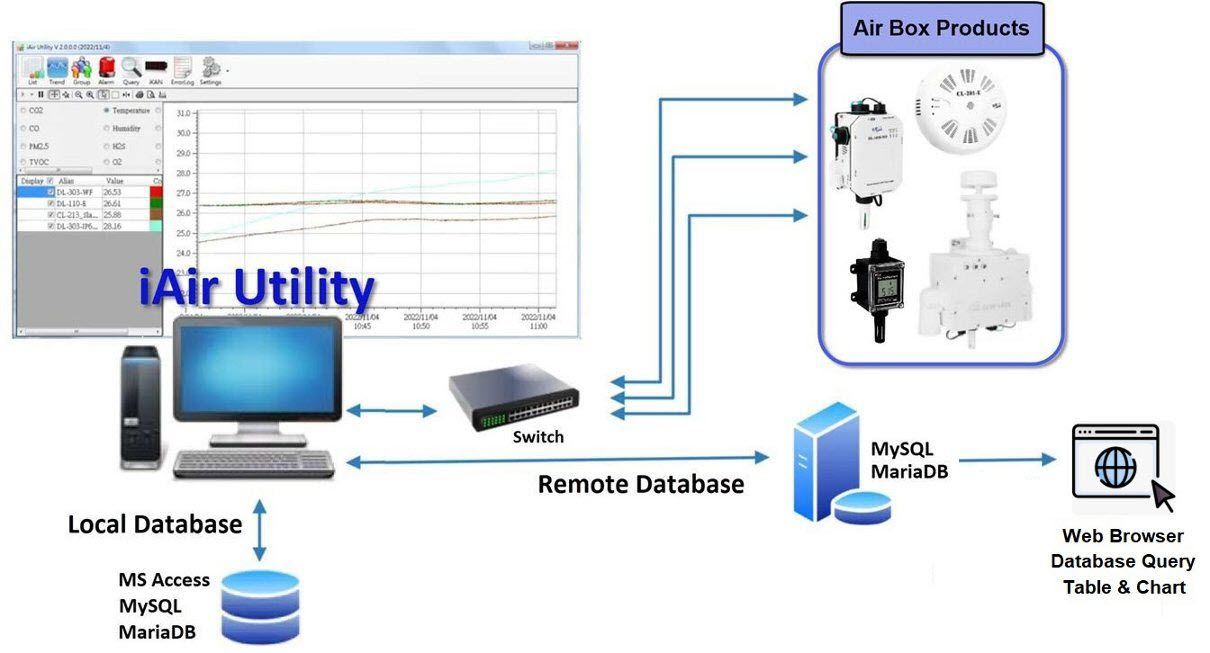

Software Specifications
| iAir Utility | Trial Version(Free) | Free Version(Free) | Standard Version |
|---|---|---|---|
| Max. Module Supported | 8 | 8 | 64 |
| Local Database Log | MySQL+SQLite | SQLite | MySQL+SQLite |
| Remote Database Log | MySQL | N/A | MySQL |
| Time Limitation | Quit every 2 hours | No limitation | No limitation |
| Built-in Local Database Query | MySQL+SQLite | SQLite | MySQL+SQLite |
| Web Database Query | MySQL+PHP | N/A | MySQL+PHP |
| Ordering Information | N/A | N/A | iAir-NM64R |
Features
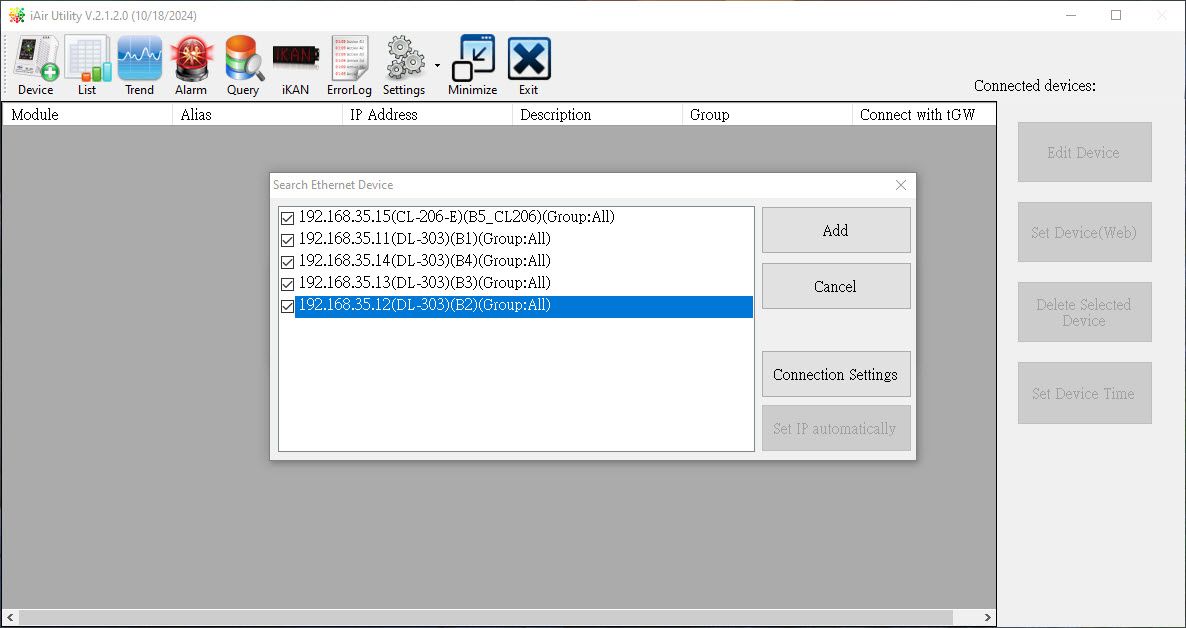
Search Module Function
- Once the network settings for the modules are configured, you can add these modules by the search module function.
- Supports up to 8 module connections.
Real-Time Data Display
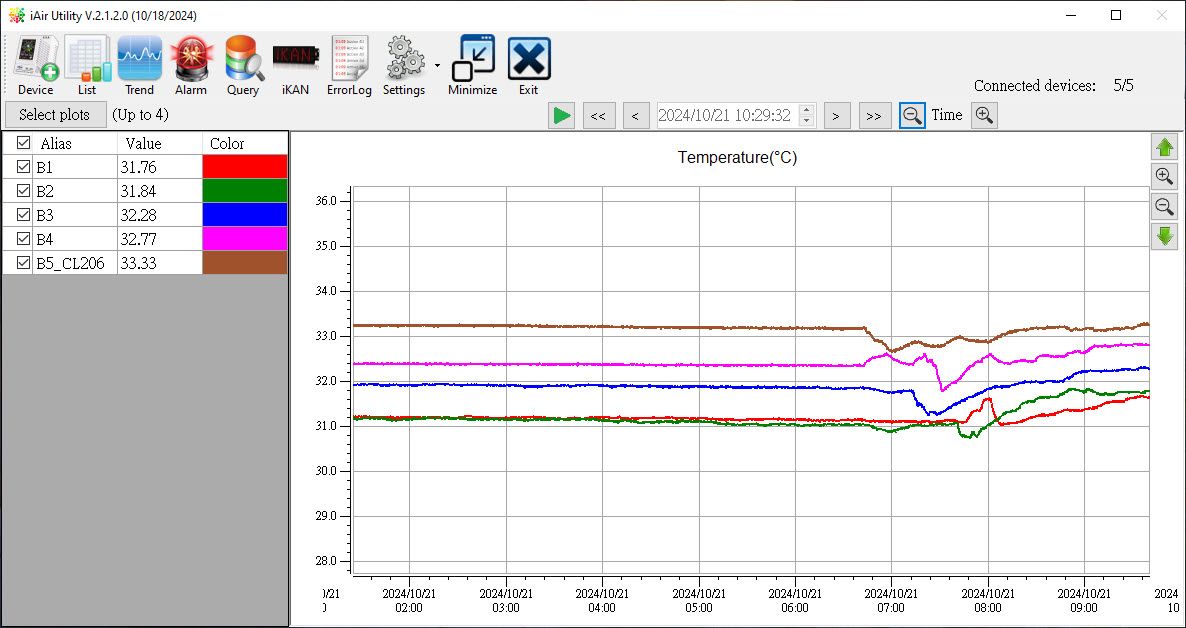
- You can monitor all modules or view real-time data by group.
- The real-time data is read back and displayed via network or RS-485 communication.

Trend Chart
- You can view data curves in the trend chart. The trend chart helps you visualize the changes in the data.
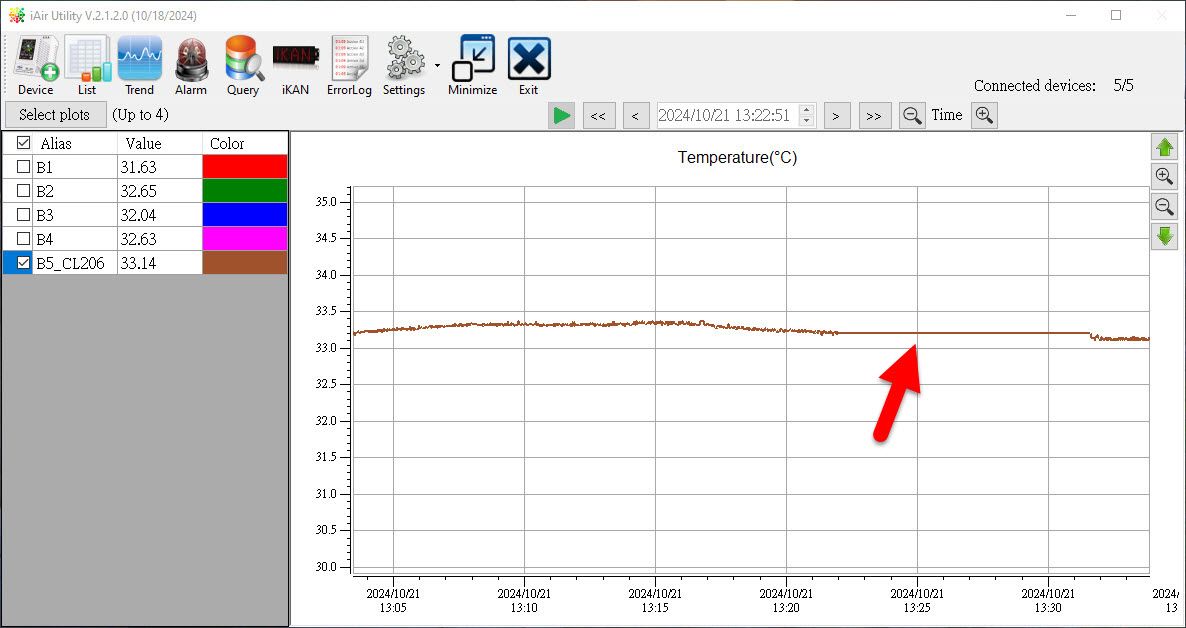
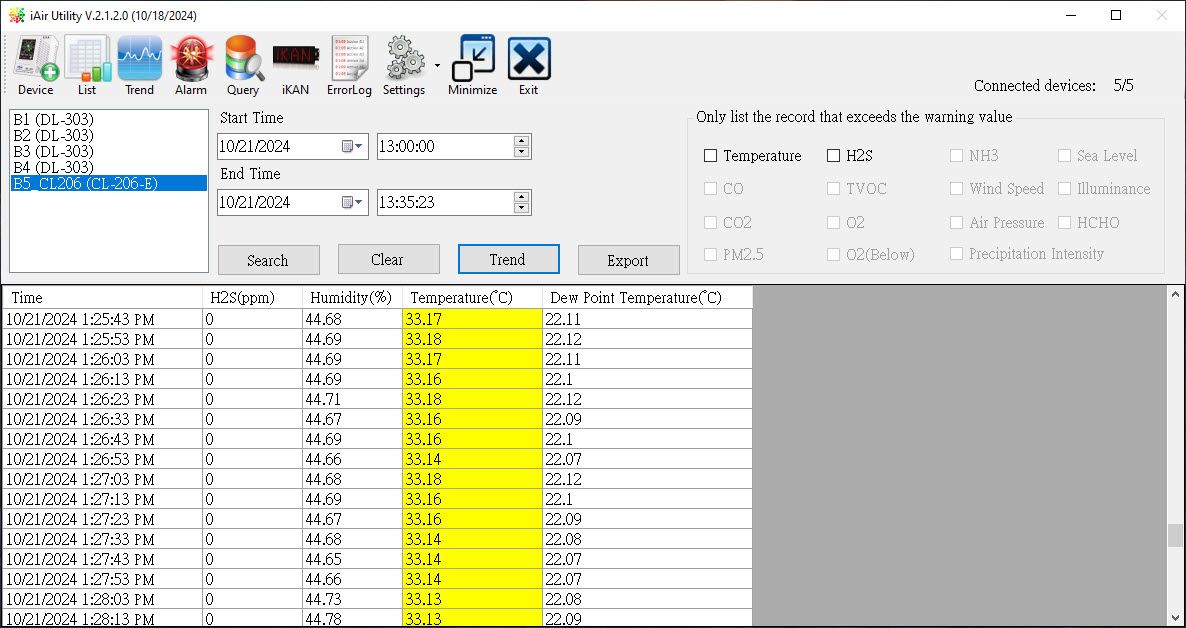
Read Data Logs
- You can set a schedule for automatic log retrieval or manually retrieve the logs immediately.
- Communication interruptions will affect real-time data, but the logs will still be recorded, ensuring continuous values are retrieved later.
Alarm Function
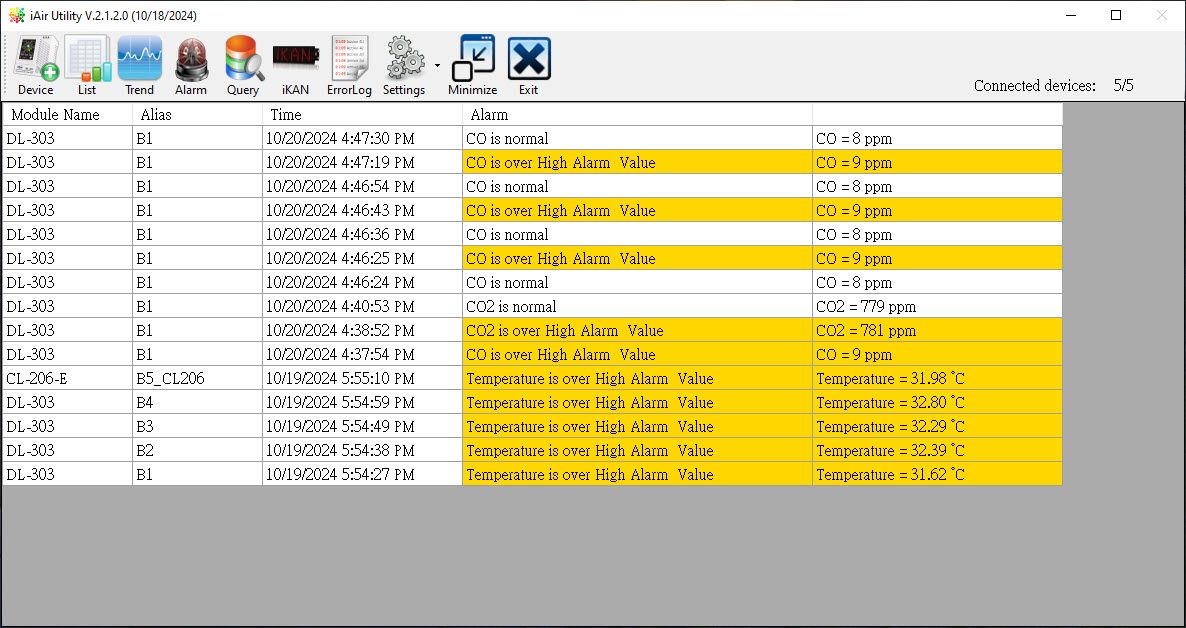
- You can set warning and danger thresholds.
- In addition to visual notifications (yellow or red alerts), the computer will also broadcast values via voice alerts.
Multi-language Support
- Currently supports Traditional Chinese, English, Japanese, Korean, Russian, Vietnamese, Indonesian, and Thai.
- You can edit text files to support new languages.
Database Storage and Query Function
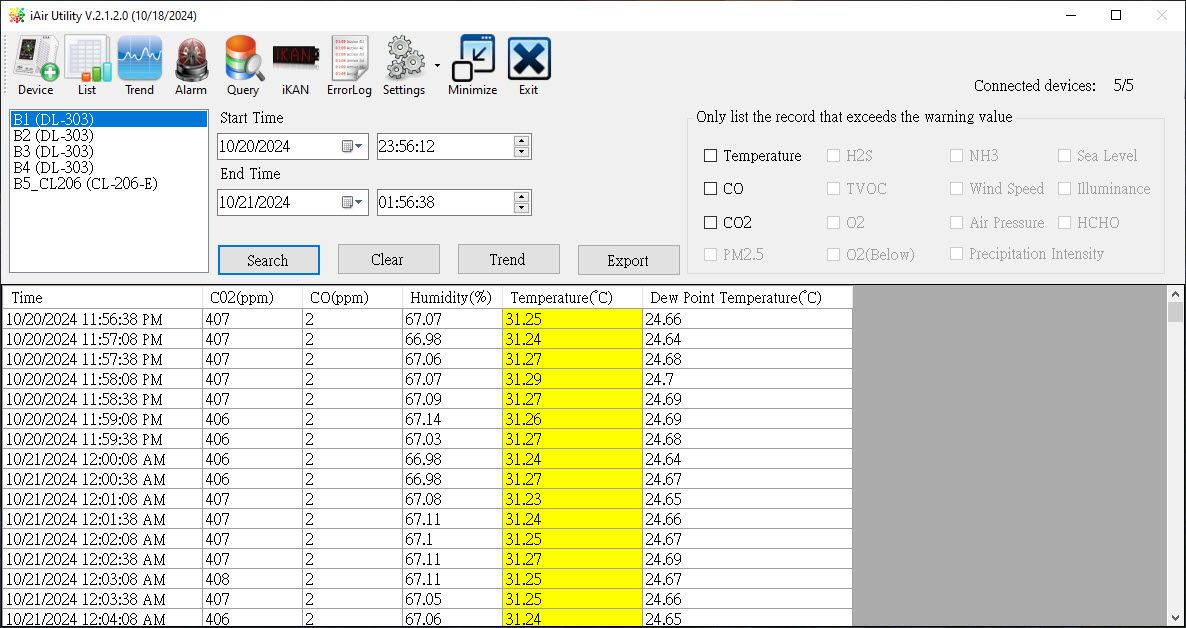
- The retrieved logs can be stored in a local Microsoft Access database.
- Users can query the records by time, generate trend charts, or export them as CSV files.
Module Time Synchronization
- The software will automatically set the module time to match the computer's time.
Group Function
- Users can create groups and assign modules to different groups for easier viewing.
Support Module
Mini Weather Station
|
||||
| Module | Display | Log Data Download | Network Setting | |
|---|---|---|---|---|
| DLW-1023 | Y | Y | I/W/E | |
| DLW-1100 | Y | Y | I/W/E | |
| DLW-1120 | Y | Y | I/W/E | |
| DLW-1200 | Y | Y | I/W/E | |
| DLW-1243 | Y | Y | I/W/E | |
Air Box DL-10/DL-100 Series
|
||||
| Module | Display | Log Data Download | Network Setting | |
|---|---|---|---|---|
| DL-100-T485/DL-100-TM485 | Y | Y | - | |
| DL-100-TM485S/DL-100-TM485S-W | Y | Y | - | |
| DL-100-TM485PS/DL-100-TM485PS-W | Y | Y | - | |
| DL-100S-E/DL-100S-E-W | Y | Y | I/W/E | |
| DL-101S-E/DL-101S-E-W | Y | Y | I/W/E | |
| DL-101S-WF | Y | N | W/A(*) | |
| DL-110S-E/DL-110S-E-W | Y | Y | I/W/E | |
| DL-111S-WF | Y | N | W/A(*) | |
| DL-120-E/DL-120-E-W | Y | Y | I/W/E | |
| * Download App for DL-101S-WF/DL-111S-WF | ||||
Air Box DL-300 Series
|
||||
| Module | Display | Log Data Download | Network Setting | |
|---|---|---|---|---|
| DL-301/DL-301-IP65 | Y | Y | I/W/E | |
| DL-301-WF/DL-301-WF-IP65 | Y | Y | I/W/E | |
| DL-302/DL-302-IP65 | Y | Y | I/W/E | |
| DL-302-WF/DL-302-WF-IP65 | Y | Y | I/W/E | |
| DL-303/DL-303-IP65 | Y | Y | I/W/E | |
| DL-303-WF/DL-303-WF-IP65 | Y | Y | I/W/E | |
| DL-305-IP43/DL-305-WF-IP43 | Y | Y | I/W/E | |
Air Box DL-1000 Series
|
||||
| Module | Display | Log Data Download | Network Setting | |
|---|---|---|---|---|
| DL-1020 | Y | Y | I/W/E | |
| DL-1022 | Y | Y | I/W/E | |
| DL-1023 | Y | Y | I/W/E | |
| DL-1025 | Y | Y | I/W/E | |
| DL-1038 | Y | Y | I/W/E | |
| DL-1050 | Y | Y | I/W/E | |
Air Box CL-200 Series
|
||||
| Module | Display | Log Data Download | Network Setting | |
|---|---|---|---|---|
| CL-201-E/CL-201-WF | Y | Y | I/W/E | |
| CL-202-E/CL-202-WF | Y | Y | I/W/E | |
| CL-203-E/CL-203-WF | Y | Y | I/W/E | |
| CL-204-E/CL-204-WF | Y | Y | I/W/E | |
| CL-205-E/CL-205-WF | Y | Y | I/W/E | |
| CL-206-E/CL-206-WF | Y | Y | I/W/E | |
| CL-207-E/CL-207-WF | Y | Y | I/W/E | |
| CL-208-E/CL-208-WF | Y | Y | I/W/E | |
| CL-210-E/CL-210-WF | Y | Y | I/W/E | |
| CL-211-E/CL-211-WF | Y | Y | I/W/E | |
| CL-212-E/CL-212-WF | Y | Y | I/W/E | |
| CL-213-E/CL-213-WF | Y | Y | I/W/E | |
| CL-223-E/CL-223-WF | Y | Y | I/W/E | |
| CL-224-E/CL-224-WF | Y | Y | I/W/E | |
| CL-250-E | Y | Y | I/W/E | |